![Symbol-Deep Green.png]](https://support.ethiack.com/hs-fs/hubfs/Symbol-Deep%20Green.png?height=40&name=Symbol-Deep%20Green.png)
Overview
Mobile applications operate differently than standard web assets. They reside on user devices and communicate with your backend via APIs. To ensure comprehensive security coverage, Ethiack allows you to test your mobile binaries directly.
By importing your application files, you trigger our continuous pentesting to analyze your app for vulnerabilities.
Support
- Android: .apk files
- iOS: .ipa files
Prerequisites & File Preparation
Before uploading your application, you must ensure the build is configured correctly. A "Production" build often contains security measures (like DRM or SSL Pinning) that prevent our scanners from performing a deep security audit. Due to these extra protections and also to prevent any disruption or data changes, Ethiack’s suggestion is scan demo versions of your mobile applications (if possible, with protections disabled) to allow us to test without significant constraints.
How to Import Your App
Once you complete the file preparation, you can start the test in the Ethiack Portal.
- Navigate to the Surface tab in the main menu.
- Click the Add Asset button.
- Select Apk or Ipa as the asset type.
- Drag and drop your .ipa or .apk file into the upload zone.
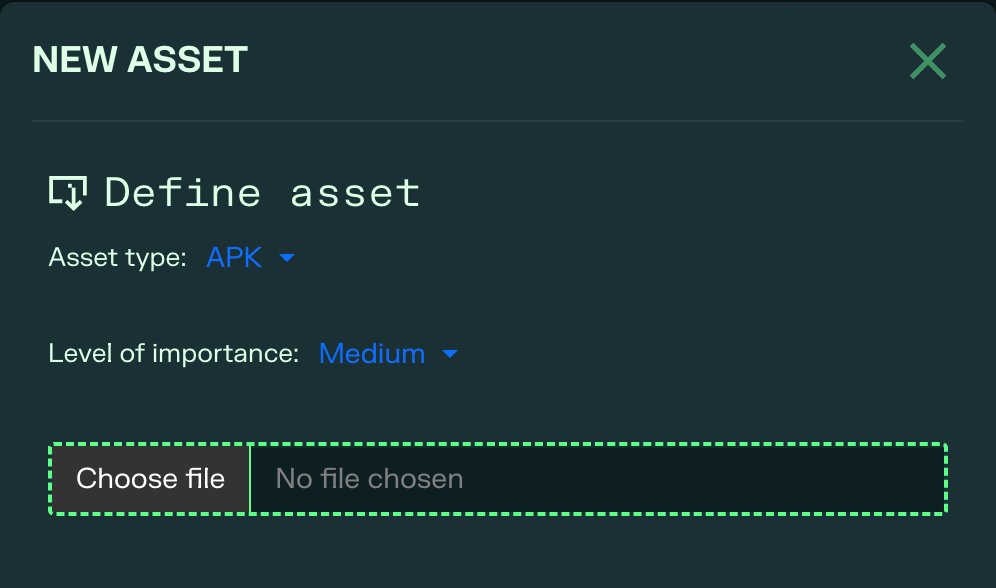
- (Optional) Add a version tag (e.g., v1.2-RC) to help track findings across different builds.
- The next scan will test your .apk or .ipa file.
Note: Large files may take a few minutes to process.
FAQs
- Can I test an app that is already on the App Store/Play Store?
No. You must import the .ipa or .apk file directly.
- What if my app requires a login?
If your app is behind authentication, please provide test credentials in the Scope / Settings area of the asset, or share them with our support team via ticket.
- Do I need to whitelist Ethiack IPs?
If your mobile app connects to a Staging or Internal API that is firewalled, yes. Please ensure your network allows traffic from Ethiack's VPN/Proxy IPs. You may ask our support team to help you gather information regarding the IPs used for this testing.
- How often should I upload a new version?
We recommend uploading a new binary every time you prepare a major release (Release Candidate phase). This allows you to catch vulnerabilities before they are distributed to your public user base.